
The Volume Problem Nobody Talks About
Here's a pattern I keep seeing: Teams adopt AI. Productivity goes up. Document volume explodes. Six months later, everyone is complaining that they're drowning in meetings about documents that don't help anyone make decisions.
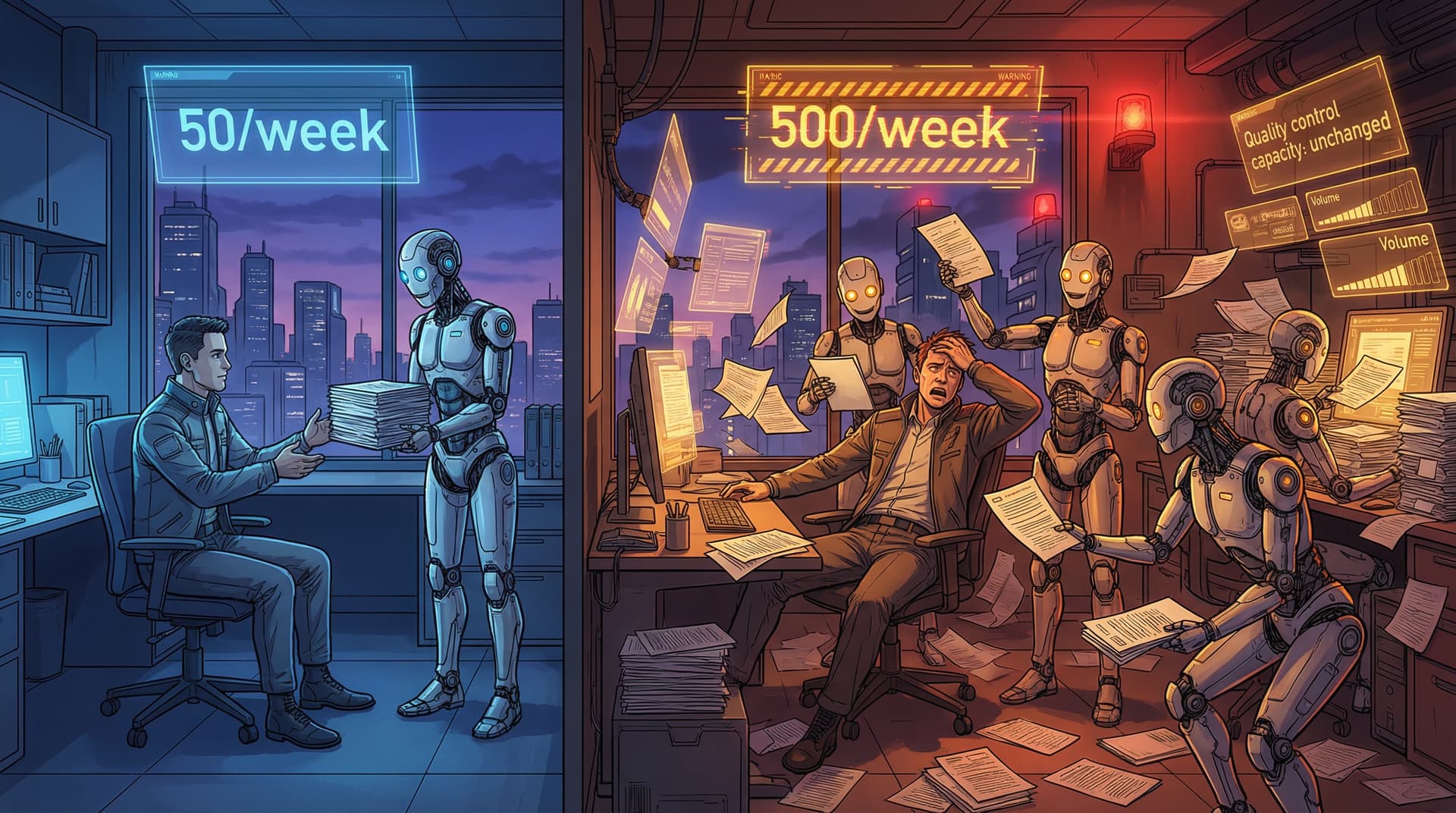
The math is brutal. If AI lets someone produce 50 documents a week instead of 5, and you have 10 people doing this, you've gone from reviewing 50 documents a week to 500. Your quality control system just broke, and you didn't even notice it happening.
The universal complaint? "Everything sounds like AI wrote it." But when I dig into what that actually means, it's rarely about the prose. It's that the documents have no point. They explain things. They describe things. They analyze things. But they don't orient anyone toward a decision or action.
The problem isn't AI. AI can write production-quality documents. The problem is that organizations relied on talented employees to maintain a document bar for hundreds of years, and that system is gone now. We don't have a replacement.
That's what this post is about: a replacement. I call it the Anti-Slop Framework.
The Real Problem: Prompts Without Purpose
When someone shows me a "bad AI document," I ask to see the prompt that created it. Nine times out of ten, the problem is obvious.
They wrote: "Write a status report for my project."
They meant: "Write a status report that surfaces blockers, assigns them to owners with deadlines, and makes a specific ask for help so leadership knows where to intervene."
That gap between what people say and what they mean is where quality dies. With humans, you could be vague because they'd ask clarifying questions. With AI, vague prompts get vague output. And then people blame the model.
Here's what I've learned after hundreds of hours working on this problem: you can't fix bad document culture with better prompting tips. You need a system. A framework that works across document types, across teams, across the natural drift toward generic AI voice.
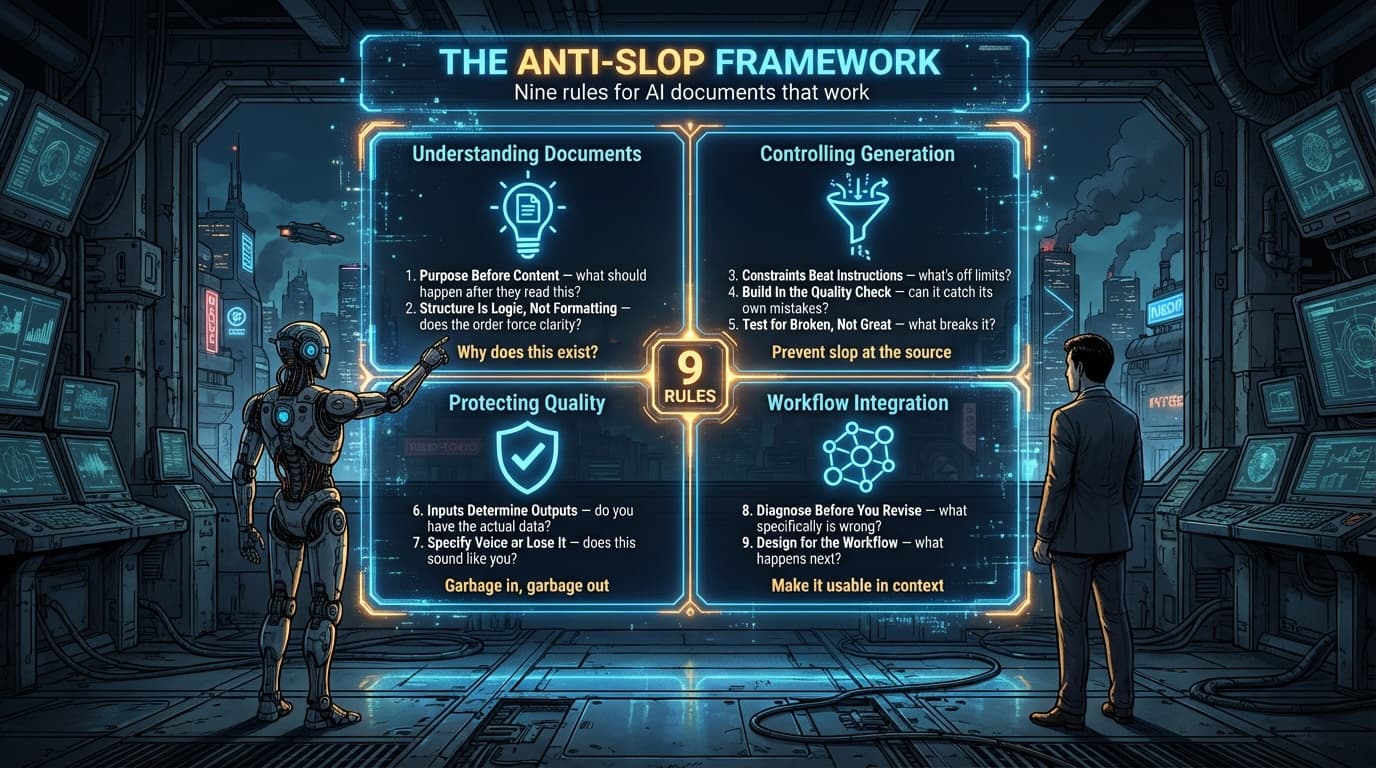
The Anti-Slop Framework has nine rules organized into four sections that build on each other:
- Understanding Documents - What documents are actually for
- Controlling Generation - How to prevent slop at the source
- Protecting Quality - Guarding inputs and voice
- Workflow Integration - Making documents work in practice
Let's start with the foundation.
Part 1: Understanding What Documents Actually Do
Rule 1: Purpose Before Content
This sounds obvious until you realize most documents fail this test completely.
A status update that doesn't surface blockers? It's not doing its job. A proposal that doesn't request a decision? Useless. Meeting notes that don't capture who's doing what next? Waste of everyone's time.
The first question before you write anything: "What is this supposed to make someone do or understand differently?" Not what information do they need. What behavior change or decision does this enable.
If you can't answer that, the document is already broken before AI touches it.
The practical application: Before every prompt, write down: "After reading this, the reader will [specific action/decision]." If you can't fill that in, you're not ready to write the document yet.
Rule 2: Structure Is Logic, Not Formatting
Most people confuse structure with formatting. They're not the same thing.
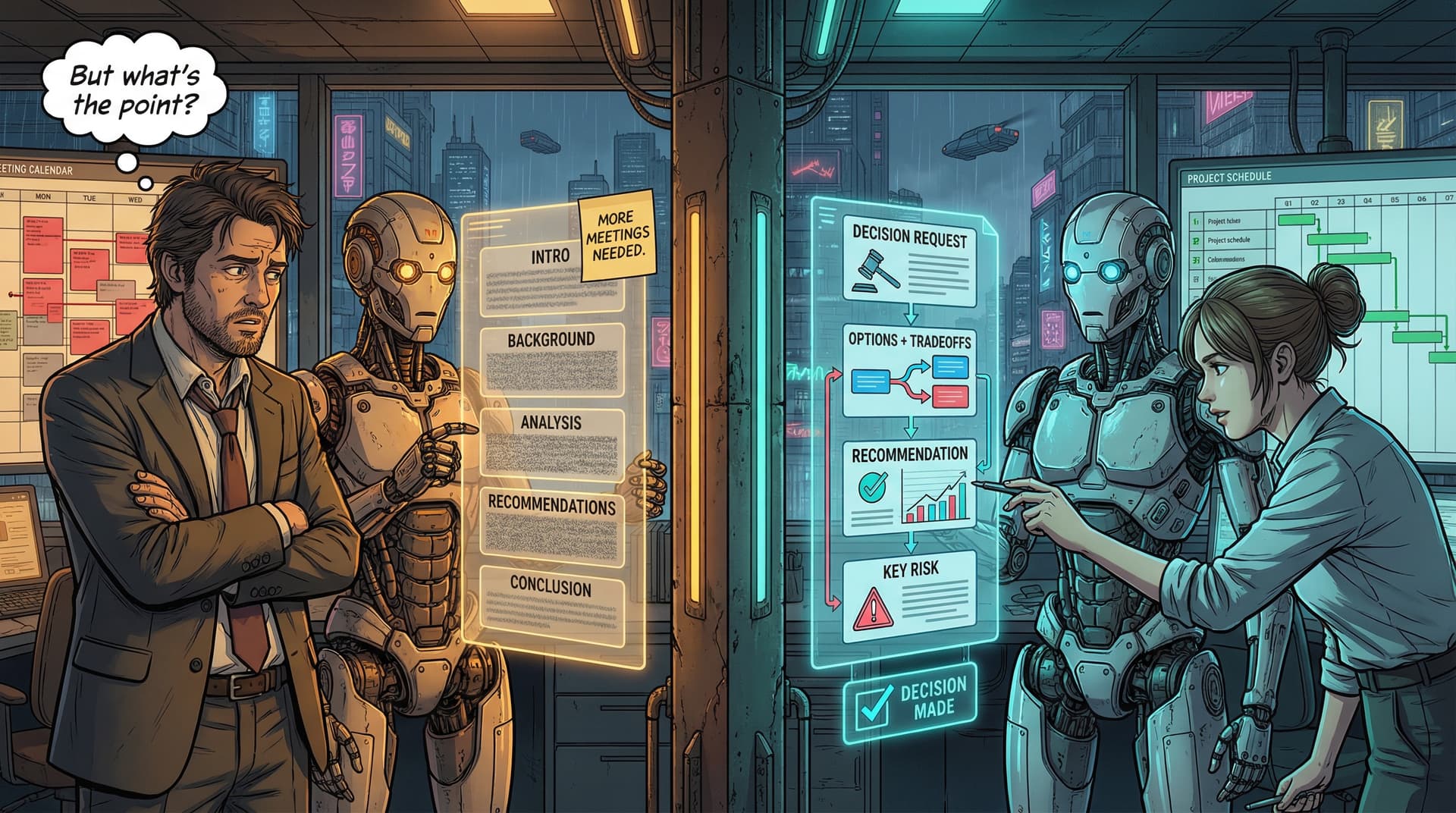
When AI produces that generic five-section document with Introduction, Background, Analysis, Recommendations, Conclusion... that's not structure. That's a template. Templates let you fill in boxes without developing an actual argument.
Real structure does two things. First, it sequences information in the order the reader needs it to make a decision. Second, it makes gaps in your thinking visible. If you can't fill a section, that tells you what you don't know yet.
Here's the difference in practice:
Template prompt: "Write this in five sections." Structure prompt: "State the problem first. Provide three solution options with specific trade-offs. Recommend one with reasoning. End with the specific decision you need."
The first one lets AI pad every section with content whether or not it advances an argument. The second one forces AI to actually construct a case. The structure makes it think, the same way it makes humans think.
Part 2: Controlling AI Generation to Prevent Slop
Rule 3: Constraints Beat Instructions
This is counterintuitive. We think prompting is about telling AI what to generate. But AI's default is to be helpful, comprehensive, thorough. It will include everything that might be relevant.
The problem isn't getting AI to add more. The problem is getting AI to choose.
Watch what happens when you add constraints:
Without constraints: "Write an executive brief about this project." You get five pages analyzing everything.
With constraints: "Write a one-page executive brief. First paragraph must contain the decision request. Include exactly three options. Each option: two sentences maximum. No background section. No conclusion section. End with your recommendation and the single most important risk."
The second prompt forces prioritization. Constraints are where the quality actually comes from.
The ratio that works: Spend 70% of your prompt words on what NOT to do. "Don't include background unless directly relevant to the decision." "Don't hedge. If you recommend option A, say 'I recommend option A.'" "Don't exceed 400 words."
Rule 4: Build In the Quality Check
If your quality control system depends on humans reading everything, you've already lost. The math doesn't work at AI-assisted scale.
What does scale? Making AI review its own work before showing it to you.
This isn't a trick. It's the only approach I've found that actually works. Here's what it looks like:
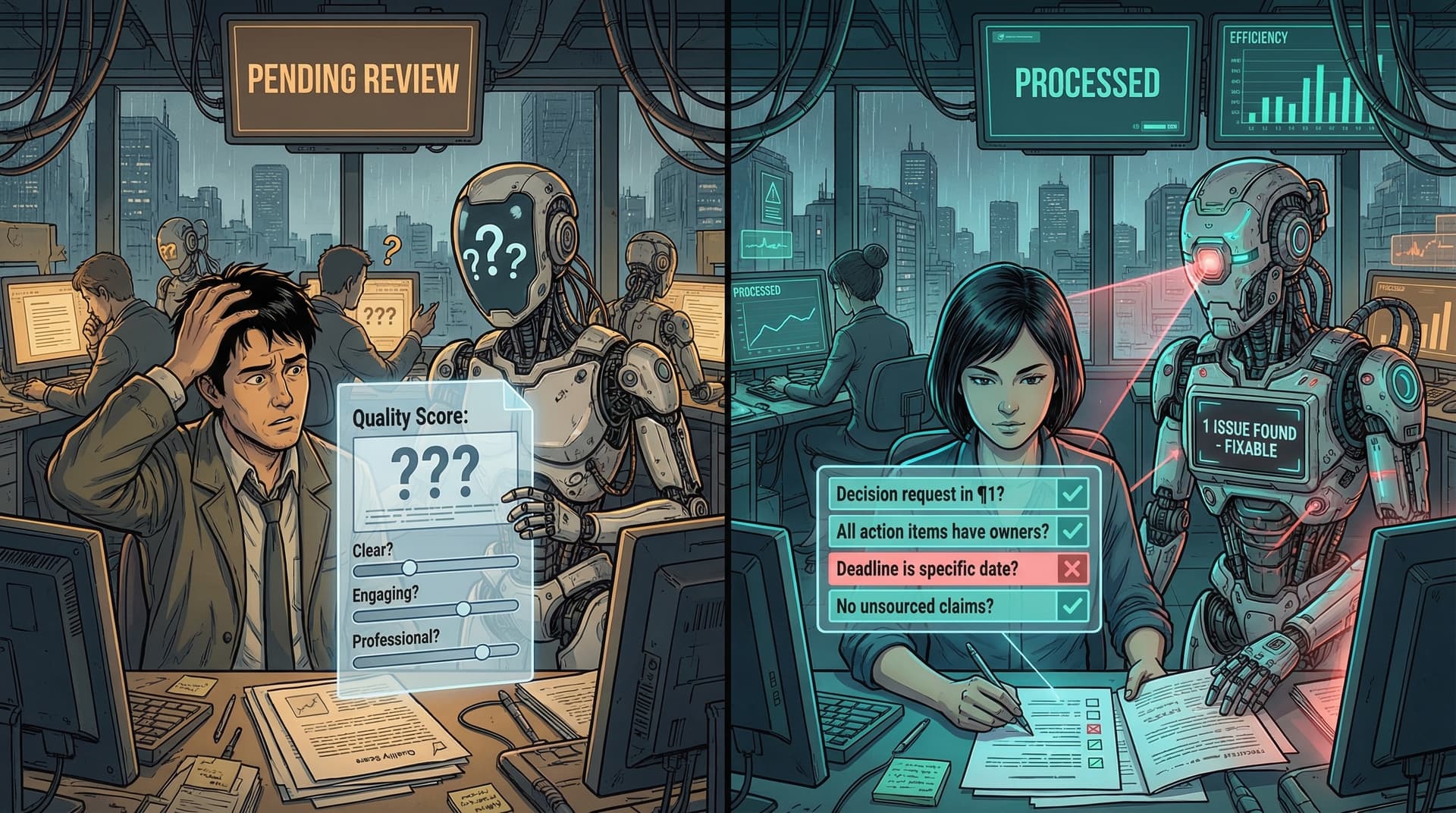
QUALITY CHECKS - Before outputting, verify:
- [ ] Decision request is in first paragraph and is specific
- [ ] Every action item has owner name and specific date (not "soon")
- [ ] No claims without supporting data from the inputs I provided
- [ ] Total word count is under 400

If any check fails, revise before outputting.
When you force AI to self-evaluate against specific criteria, two things happen. First, it catches most slop before you see it. Second, it actually constructs the document differently, because it knows it will be checked.
The key: criteria must be concrete and testable. "Is this good?" doesn't work. "Does every action item have an owner and deadline?" works. "Is this clear?" doesn't work. "Is the recommendation stated in the first paragraph?" works.
Rule 5: Test for Broken, Not Great
You can't define what makes a great document. But you can define what makes a broken one.
Every document type has predictable failure modes:
- Meeting notes without action items
- Executive briefs without decision requests
- Technical docs that skip steps
- Proposals without budgets
- Status reports without blockers
These aren't style preferences. They're functional failures. A meeting note without action items doesn't do the job of a meeting note, which is to ensure follow-through.
The insight: you don't need AI to recognize great writing. You need it to recognize broken documents. And broken is much easier to define than great.
Build failure mode detection into every prompt:
Before outputting, check for these failure modes:
- If this is a status report with zero blockers listed, verify nothing is actually blocked
- If this is a proposal with no budget, flag that budget is missing
- If these are meeting notes with no action items, confirm nothing was assigned
Broken is objective. You can test for it. Great is subjective and harder to specify. At scale, optimize for "not broken" first.
Part 3: Protecting Input Quality and Organizational Voice
Rule 6: Inputs Determine Outputs
AI will happily write a comprehensive document from incomplete information. It will fill gaps. It will make reasonable-sounding inferences. It will create the appearance of completeness.
And you won't notice until someone tries to act on the document and discovers half the information is plausible fiction.
I watched a product team use AI to write PRDs. They fed it brainstorming notes and customer feedback snippets. AI produced beautiful documents with acceptance criteria, success metrics, technical requirements. Engineering started building. Halfway through, they discovered the acceptance criteria were never actually agreed to. AI had inferred them from the brainstorming notes.
The output looked complete. It had the right structure. It passed all the quality checks. But it was built on assumptions, not facts.
The discipline happens before prompting. Before you write any document, verify you have the actual information required. Not "I sort of know this" but "I have the specific data, decisions, examples I need."
If you don't have the inputs, your prompt should be "help me identify what information I'm missing," not "write the document."
Rule 7: Specify Voice or Lose It
AI has a default voice. Diplomatic. Hedge-y. Professionally generic. If you let it, that voice will eat your organization's voice within six months.
Here's what happens: Person A uses AI for a proposal. Person B uses AI for a status report. Person C uses AI for meeting notes. Soon, every document has the same cadence, the same transitions, the same hedge language.
This isn't just aesthetics. Voice carries information. When an engineer writes bluntly and a product manager writes diplomatically, that tells you something about certainty levels. AI's default voice flattens this signal.
Two approaches that work:
-
Organization voice guidelines: "Our executive briefs are direct and recommendation-forward, not hedged and analysis-heavy." Include these in every prompt.
-
Personal voice specs: "I write in first person. I use short sentences. I'm blunt about problems. I don't say 'we should consider,' I say 'we should do X.'"
What doesn't work: assuming AI will figure out your voice from context. It won't. It will use its default unless you override it explicitly every time.
Part 4: Making AI Writing Work in Your Actual Workflow
Rule 8: Diagnose Before You Revise
When AI gives you a draft and something feels off, the instinct is to say "improve this" or "make it clearer." AI will rewrite the whole thing. You'll read the rewrite, still feel like something's off, ask for another pass. Three iterations later, the document has been fully rewritten but still doesn't work.
The problem is diagnostic. You haven't identified what's actually wrong.
Effective iteration requires specific diagnosis before the next prompt:
Bad: "Make this better." Good: "Section 2 is too long. Cut it from 400 to 200 words by removing the background context and keeping only the three main points."
Bad: "Make it clearer." Good: "The recommendation is buried in paragraph 4. Move it to the first sentence."
The skill is being able to read a draft and quickly identify the specific failure. Not "this feels off" but "this has no decision request, Section 3 makes claims without data, and the conclusion is vague."
If you can't diagnose specifically, you end up in rewrite loops. And at some point it's faster to just write it yourself.
Rule 9: Design for the Workflow
Most people prompt AI to write individual documents. They should be prompting AI to write documents that fit into their organization's actual workflow.
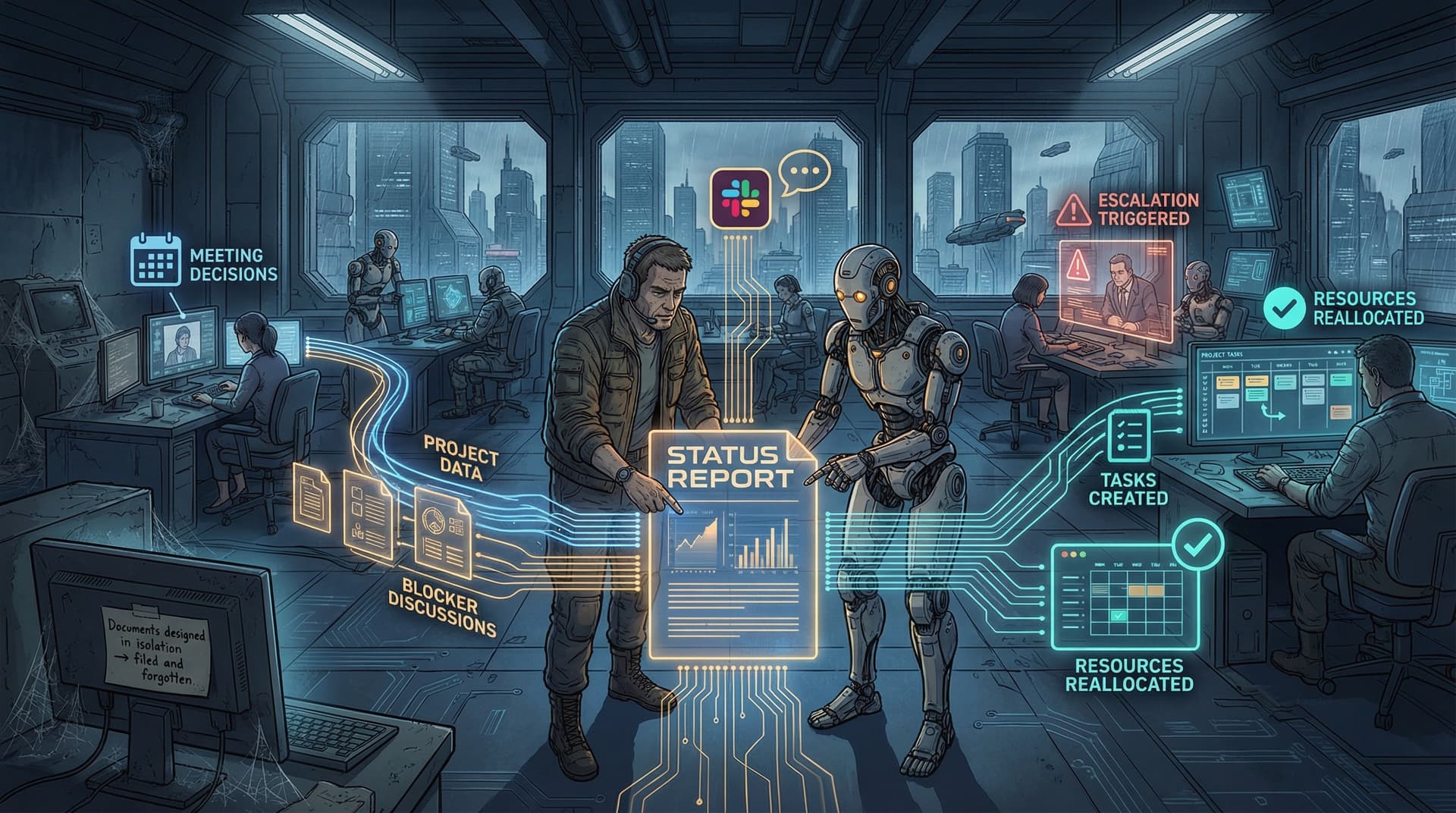
A status report isn't just information. It's an input to a decision process. Someone reads it, escalates blockers, reallocates resources. If the status report doesn't surface information in the format that decision process needs, it doesn't matter how well-written it is.
Meeting notes aren't just a record. They're supposed to ensure follow-through. If your organization tracks action items in Linear and your meeting notes format doesn't match what you can easily import, you've created friction. People won't follow through.
Before you prompt AI to write a document, answer:
- Who reads this?
- What do they do with it?
- What format makes that easier?
The best prompts include workflow context: "Write status report formatted for our Monday standup review, where we track blockers by owner and escalate anything over 3 days old."
Documents are tools in workflows. If the tool doesn't fit the workflow, it doesn't matter how good the tool is.
Putting It All Together: The Prompt Architecture
The Anti-Slop Framework comes together in a consistent prompt architecture. Here's the skeleton:
PURPOSE: [What this document makes happen - decision, action, understanding]

CONTEXT:
[Who reads this]
[When they read it]
[What they do after reading it]

INPUT PROVIDED:
[Your actual data, notes, research - be complete]

STRUCTURE:
[Sections in logical decision order, not template order]

CONSTRAINTS:
[Word limits]
[Format requirements]
[What NOT to include]
[What NOT to infer or make up]

VOICE:
[Specific voice guidance]
[Hedge language to avoid]
[Directness level]

QUALITY CHECKS - Before outputting, verify:
- [ ] [Specific testable criteria]
- [ ] [Document-type failure modes]
- [ ] [Data verification]

If any check fails, revise before outputting.
The order matters. Purpose first (why this exists). Context second (who uses it and how). Then inputs (what you're working with). Then structure (the logical flow). Then constraints (the boundaries). Then voice (the style). Then self-evaluation (the quality control).
Every section addresses one or more of the Anti-Slop rules:
- Purpose addresses Rule 1 (what should happen after they read this?)
- Structure addresses Rule 2 (does the order force clarity?)
- Constraints address Rules 3 and 5 (what's off limits? what breaks it?)
- Quality checks address Rules 4 and 5 (can it catch its own mistakes?)
- Input instructions address Rule 6 (do you have the actual data?)
- Voice addresses Rule 7 (does this sound like you?)
- Context addresses Rule 9 (what happens next?)
The Eight Documents You Write Most Often
I've built production-ready prompts for the eight document types that come up constantly in professional work:
- Meeting Notes - From transcript or raw notes to actionable record
- Status Reports - Weekly/monthly updates that surface blockers
- Executive Briefs - Decision memos that get decisions made
- Project Proposals - Resource allocation requests with clear scope
- PRDs - Product requirements that bridge product and engineering
- Technical Documentation - User guides that actually help
- Post-Mortems - Incident reports that prevent recurrence
- SOPs - Process documents that enable consistent execution
Each prompt embeds all nine rules of the Anti-Slop Framework. They specify purpose before content. They use constraints to force prioritization. They build in self-evaluation. They test for predictable failure modes. They ground everything in your actual inputs rather than invented examples.
[These prompts are available in the companion repository - link to follow]
The Quality Evaluator
I've also built an evaluation skill that scores any document against the Anti-Slop Framework. Upload a document, and it returns:
- Rule-by-rule assessment - Which rules pass/fail/partial
- Priority ranking - Top 5 most critical issues to fix first
- Specific fixes - Not "make it better" but "cut paragraph 4, move section 2 before section 1"
- Document-type checks - Tests for the specific failure modes of each document type
This works as a skill in AI coding assistants, or you can use it directly in chat by pasting the evaluation criteria.
[Evaluation skill available in the companion repository - link to follow]
The Meta-Skill: Knowing What to Specify
The bottleneck in AI-assisted writing isn't AI's capability. It's your ability to articulate what you actually want.
Most people prompt AI the way they brief junior employees: vaguely, assuming AI will figure out what they meant. But AI can't read your mind. It can't infer your standards. It doesn't know what matters in your organization.
Here's the thing though: forcing yourself to be specific enough to prompt AI well makes you better at knowing what you actually want. It makes you better at writing yourself. It makes you better at giving feedback to humans.
The organizations that succeed at AI-assisted writing aren't the ones with the best writers. They're the ones with the clearest standards. They know what makes a document work in their context. They can articulate it concretely. They can test for it systematically.
That's the real work. Not prompting AI. Knowing what you're trying to produce clearly enough that you can specify it.
Getting Started
If you're drowning in AI documents that don't help anyone make decisions, here's the starting point:
-
Pick one document type that's causing pain. Status reports, meeting notes, proposals. Whatever comes up most often.
-
List its failure modes. What makes a broken version of this document? Be specific.
-
Define its purpose. What decision or action should this enable? Write it down.
-
Build constraints. What should this document NOT include? What's the maximum length? What should never be inferred?
-
Create quality checks. What can you test for? Make them pass/fail, not subjective.
-
Test it. Run your prompt on real inputs. See what breaks. Fix it.
Once you have one document type working, extend the approach. Each new document type gets faster because the rules transfer.
This isn't about finding better AI tools. You already have access to a model that can write production-quality docs. The work is developing the clarity to tell it what you actually need.
Let's write better.
Quick Reference: The Anti-Slop Framework
| Section | Rule | One-Liner |
|---|---|---|
| Understanding Documents | 1. Purpose Before Content | What should happen after they read this? |
| 2. Structure Is Logic, Not Formatting | Does the order force clarity? | |
| Controlling Generation | 3. Constraints Beat Instructions | What's off limits? |
| 4. Build In the Quality Check | Can it catch its own mistakes? | |
| 5. Test for Broken, Not Great | What breaks it? | |
| Protecting Quality | 6. Inputs Determine Outputs | Do you have the actual data? |
| 7. Specify Voice or Lose It | Does this sound like you? | |
| Workflow Integration | 8. Diagnose Before You Revise | What specifically is wrong? |
| 9. Design for the Workflow | What happens next? |
Next: The complete prompt library and evaluation skill will be available on GitHub. Check back for the repository link, or follow for updates.